Authoring Software or Off-the-Shelf Courses for Your ITP?
By Jevon Davies MBCS RITTech
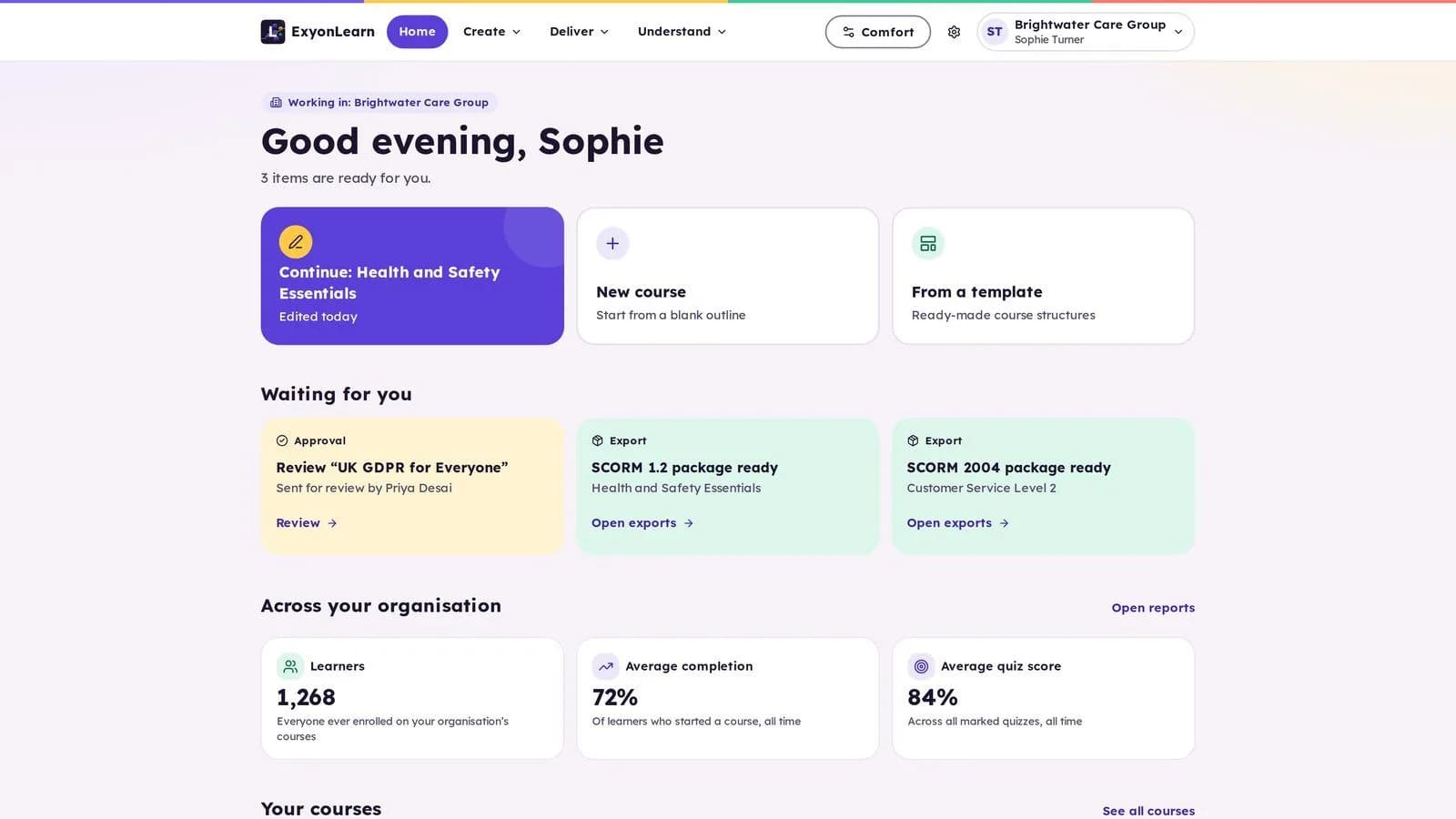
For an ITP, off-the-shelf courses suit generic subjects and quick starts, while in-house content offers close control but requires staff time and production skills. Course authoring software is a practical choice when you need to build, review and update distinctive learning content, then deliver it and track learner progress.
The best fit depends on how closely content must match your programmes, the time your team can commit to course design, and the evidence you need to retain. It also depends on whether you need a content tool, a wider e-learning platform, or both.
What is the difference between the three approaches?
Each option solves a different problem. A ready-made library provides existing courses. General-purpose authoring tools help your team create content. A purpose-built authoring and delivery platform brings course creation, review, delivery and reporting together.
| Decision area | Off-the-shelf courses | General-purpose tools | Purpose-built authoring platform |
|---|---|---|---|
| Programme fit | Fast for common subjects. Coverage and examples may not match your learners, employers or delivery model. | Your team controls the content, but must build and maintain it. | Create content around your programme and adapt it as needs change. |
| Instructional design | The supplier handles course production, but you have less control over structure and teaching approach. | Your team manages the full design and production process, usually across several specialist roles. | Templates, blocks and interactive components reduce production effort, while tutors and subject experts guide the learning. |
| Tutor oversight | Depends on the course provider and the system used to deliver it. | Usually requires a separate platform to assign content and monitor learners. | Review workflows and learner progress reporting can support oversight of course delivery. |
| Ofsted evidence | Course completion data may be available, depending on the provider and platform. | Evidence may sit across documents and separate systems. | Course-level progress records can contribute to an evidence picture, but do not replace wider provider evidence or professional judgement. |
| Accessibility | Check the course and delivery platform separately. | Accessibility depends on authoring choices, the tool and the published output. | Look for checks during creation and clear conformance information. |
| Portability | Check where content can be used and what happens if you change supplier. | Export options vary by tool and format. | Confirm supported formats and test them with your destination system. |
| Cost | Consider course licences, coverage and renewal costs. | Include staff time, training and any separate delivery platform. | Compare platform cost with content production, review, delivery and maintenance requirements. |
A course authoring tool is not automatically a management information system, e-portfolio or apprenticeship evidence system. Map how it will work alongside your existing systems before you buy.
When do off-the-shelf courses make sense?
Ready-made content can be a sensible option when the subject is consistent across organisations and your priority is to give learners access quickly. It can also help fill gaps while your team develops a broader programme.
Check how well each course fits your learners and delivery requirements. Review the examples, language, level, accessibility and update process. Confirm what learner data you can see, whether tutors can review progress, and whether you can export or reuse the content.
The trade-off is control. A generic course may cover a subject without reflecting your teaching approach, employer context or programme sequence. This can matter when the content must reinforce specific learning outcomes or relate closely to workplace practice.
What does building content in-house require?
Creating courses with general-purpose tools gives your team control over subject matter, tone and structure. It can suit organisations with established instructional design skills, time for production and a separate platform for delivery and reporting.
Traditional e-learning production divides the work across specialist roles. Subject experts supply the knowledge. Instructional designers turn it into a structured learning experience. Media specialists create the graphics, audio and video. Developers assemble the course and make the interactions work. On a large production that division is an advantage: each discipline checks the others.
For an ITP, the division is often the problem. Most providers employ subject experts and tutors, not media specialists and developers, so either those roles are bought in or subject experts end up doing production work outside their expertise. The workload is broader than writing the material either way: someone must plan the learning, create activities and assessments, review content, check accessibility, publish it, and update it when requirements change, all under a consistent process for quality assurance and version control.
That production effort can become difficult to sustain across multiple programmes. The right authoring platform reduces the specialist production burden by bringing those steps into one workflow, but it does not remove the need for subject expertise, good teaching design or appropriate review. What changes is who can do the authoring: a tutor or subject expert with deep programme knowledge can produce structured, interactive lessons themselves, rather than waiting on a production chain.
What should an ITP check before choosing?
Start with actual delivery needs, not a long feature list. For each option, test a representative course and include the people responsible for quality, compliance, teaching and learner support.
- Programme fit: Can you create content that reflects the programme, learner level and employer context?
- Review and release: Can a second person check and approve material before it is published?
- Tutor oversight: Can tutors see learner progress and identify where follow-up may be needed?
- Accessibility: Are checks part of the publishing process, and can learners adjust the experience to suit their needs?
- Portability: Can you export course content in formats your organisation can use elsewhere?
- Information governance: Where does the application and learner information run, and what protections and documentation are available?
- Total cost: Have you considered licences, staff time, onboarding, course maintenance and any supporting systems?
For apprenticeship delivery, ground your evaluation in the current standard and assessment plan. The Skills England apprenticeship search lets providers search standards and review versions and assessment-plan information. Check the funding rules that apply to each cohort. The 2026 to 2027 apprenticeship funding rules, which apply to apprenticeships starting between 1 August 2026 and 31 July 2027, were first published on 22 April 2026 and the current version 3 was published on 29 July 2026.
For wider quality assurance, consult Ofsted’s further education and skills inspection toolkit and operating guidance, updated on 28 August 2026. A course platform can help you review content and monitor course activity. It does not, by itself, demonstrate the quality of the whole provision or determine an inspection outcome.
What does a purpose-built platform offer?
A purpose-built platform can combine course creation with assessment, review, delivery and reporting. That makes it easier to manage the content lifecycle without treating every lesson as a one-off production project.
ExyonLearn provides a block-based editor with more than 25 content block types, assessments, review workflows and learner progress reporting. Teams can create content for apprenticeships, T Levels, HTQs, CPD and employer training using the same toolset.
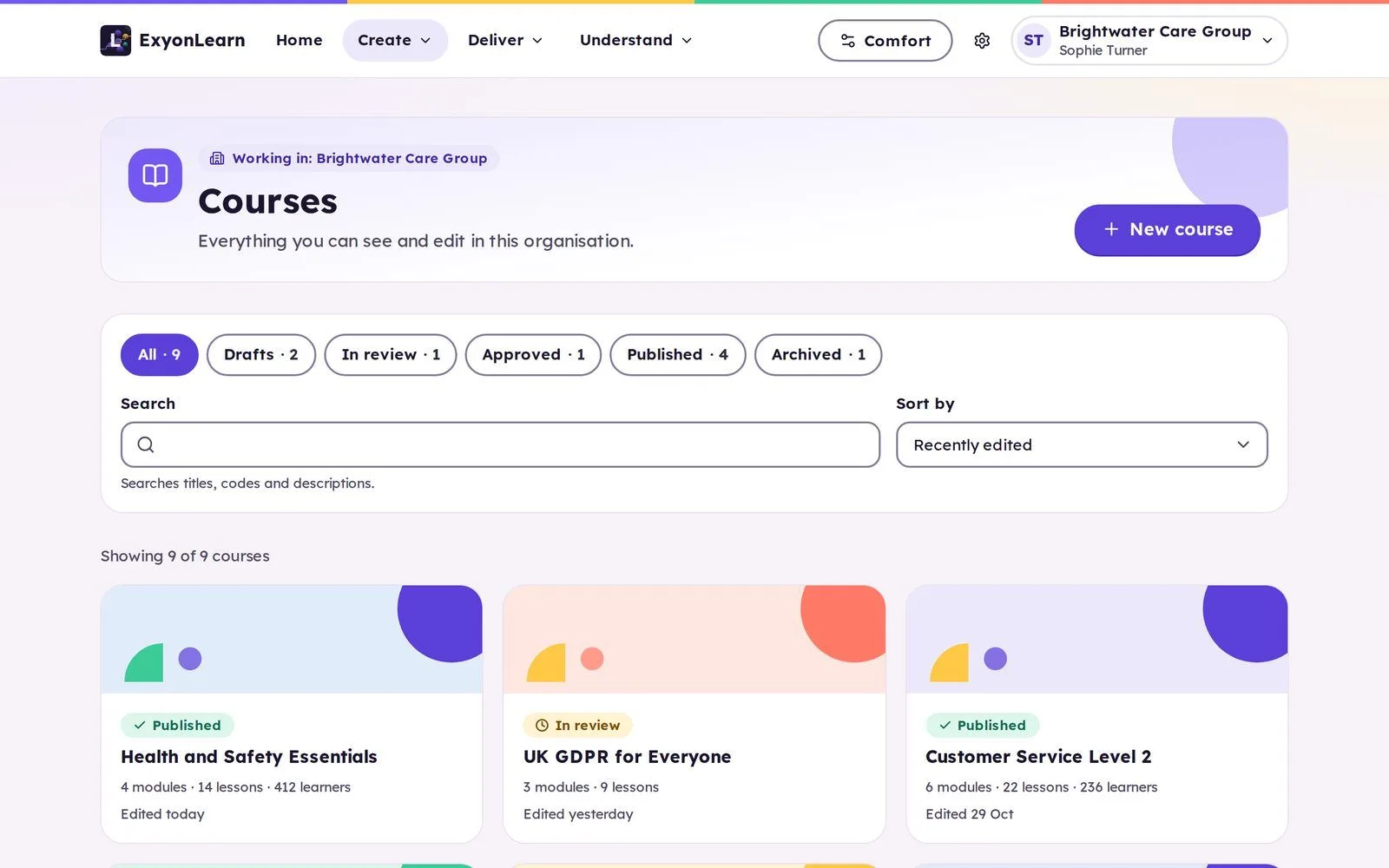
AI assistance can help draft quiz questions or improve text, but the author decides whether to accept a suggestion. AI features use UK-region models through Exyon’s own gateway. This can reduce repetitive work without removing professional review.
Accessibility and portability
Accessibility should be built into your publishing process, not left until after a course is complete. ExyonLearn checks courses before publication, and must-fix issues block a course from going live. ExyonLearn fully conforms to WCAG 2.2 AA.
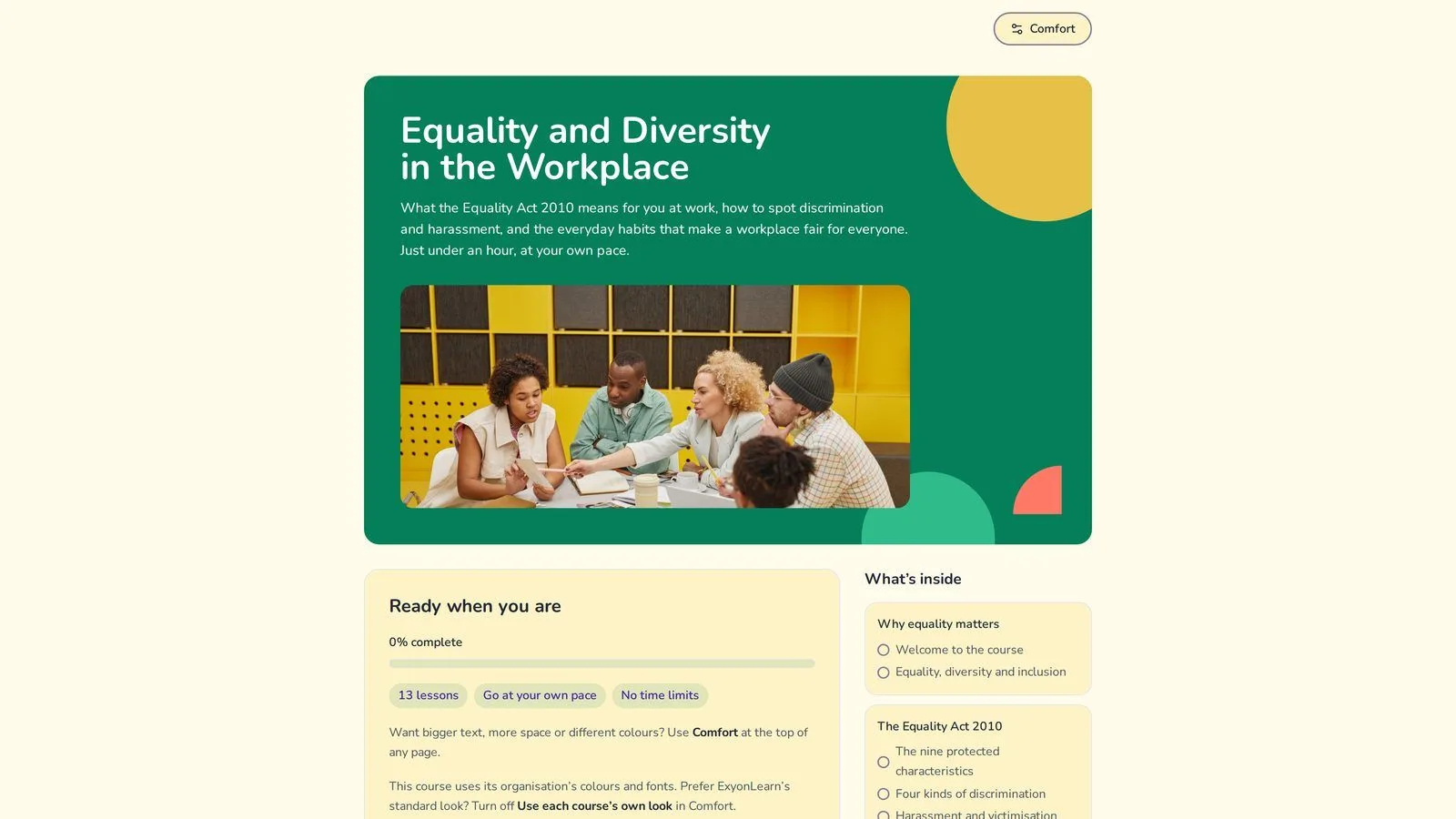
Learners can choose settings such as light, dark, soft or high-contrast themes, adjust text size and spacing, and select a dyslexia-friendly font. These options support different preferences and needs. For more detail, see Exyon’s accessibility information.
Portability matters when you already use an LMS or need flexibility as your organisation grows. ExyonLearn exports to SCORM 1.2, SCORM 2004, xAPI and HTML. Check each export in the system where you intend to deliver it, and confirm what learner activity will be reported back.
Security and information governance
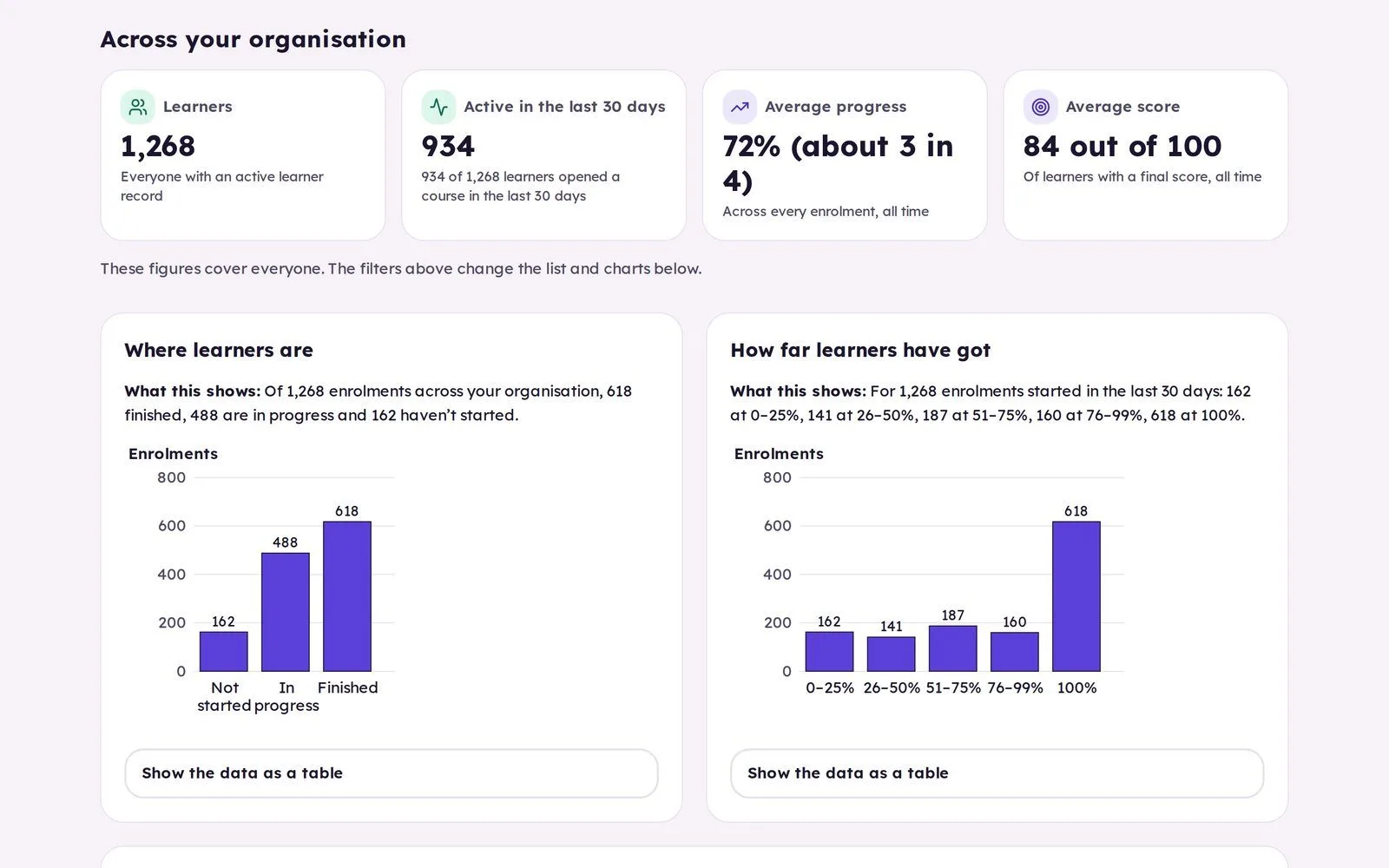
Consider hosting, identity and data protection as part of the same procurement decision. ExyonLearn’s application, databases and file storage run in London on a UK-owned cloud. Exyon Software holds Cyber Essentials certification, and its products are built for UK GDPR and the Data Protection Act 2018.
Which approach is right for your ITP?
Choose off-the-shelf courses when you need a quick, focused solution for common topics and can verify that the content fits. Build in-house when your team has the time and specialist skills to produce and maintain courses using existing tools. Consider a purpose-built course authoring platform when you need more control over programme-specific content, consistent review and reusable delivery.
Many providers will use a mix. Generic courses can cover common subjects, while in-house material addresses distinctive programme or employer needs. A suitable authoring platform can help your team create, review and manage that content, with progress reporting to inform follow-up.
For ITPs delivering apprenticeships and other vocational programmes, the decision should support your teaching model as well as operational requirements. Explore ExyonLearn for training providers, or book a demo to see how authoring, review, accessibility checks and reporting work together.
Related articles
- Looking for Course Authoring Software? 10 Things to Know
2 November 2026
Ten things to check when choosing course authoring software, so your team can create, review and improve learning while tutors keep a clear view of progress.
- Why UK Training Providers Need Modern Content Authoring Tools
10 March 2026
Legacy authoring tools were built for corporate training, not further education. See what modern course authoring should offer UK training providers today.
- Choosing Course Authoring for Apprenticeship Delivery
28 October 2026
Choose course authoring software for apprenticeship delivery that helps your team shape learning around the occupational standard, KSBs and employer needs.
See it with your own programmes
Book a personalised walkthrough built around how your organisation funds, delivers and evidences training. No obligation.