Choosing Course Authoring for Apprenticeship Delivery
By Jevon Davies MBCS RITTech
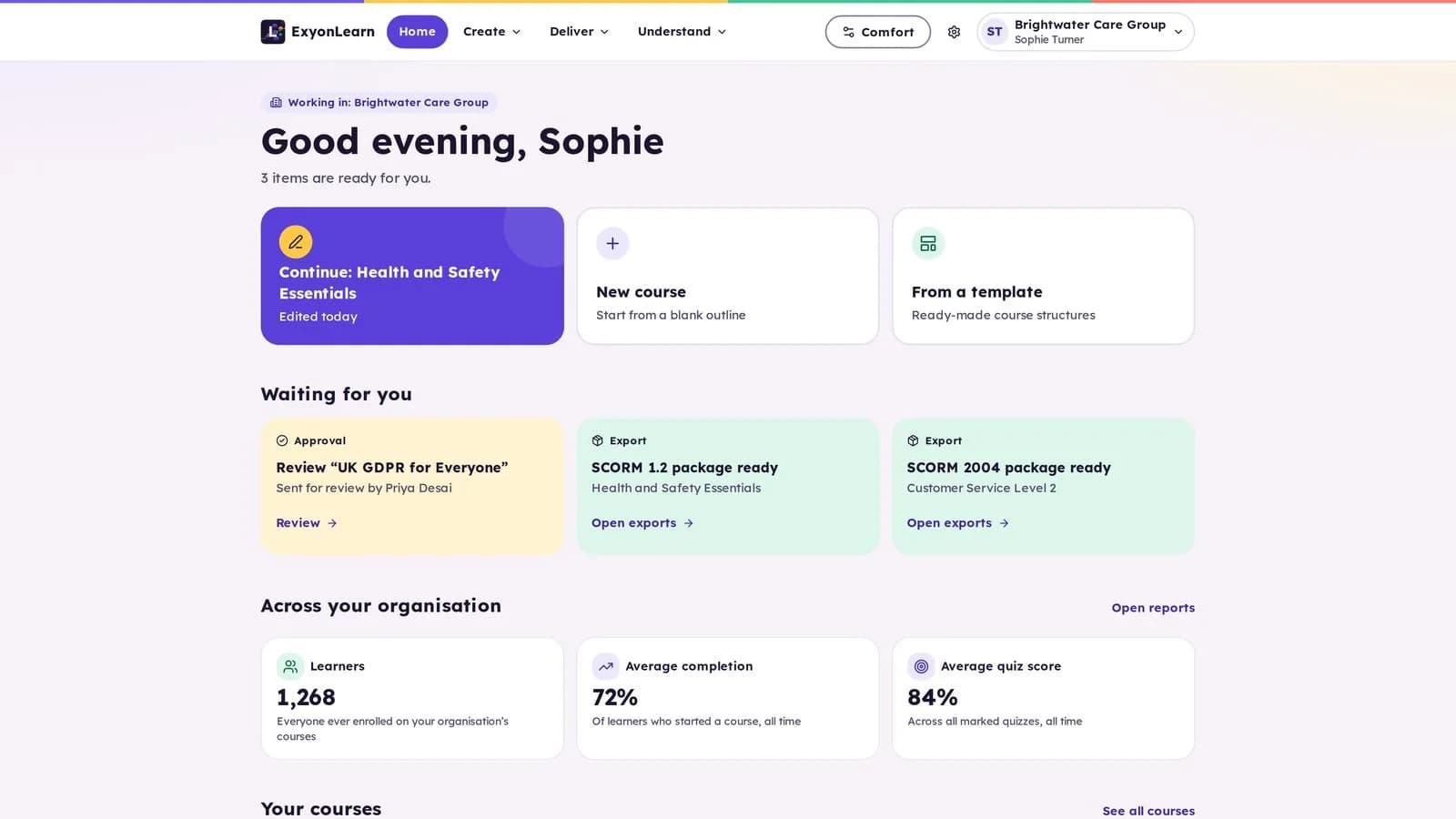
For apprenticeship delivery, choose course authoring software that helps your team shape learning around the relevant occupational standard, KSBs, employer context and delivery model. For many independent providers, a purpose-built authoring platform can offer a practical middle ground between buying generic courses and creating every resource from scratch with a specialist tool.
The decision is not just about how quickly a course can be produced. It is about whether your learning content supports planned delivery, helps tutors oversee progress and gives your organisation useful evidence of the learning experience.
Which three routes can apprenticeship providers take?
Most providers weigh up three approaches. Each can be appropriate, depending on the content you deliver, the expertise in your team and how much control you need.
Buy courses from awarding organisations or content libraries
Ready-made content can help a provider get started quickly or cover a subject where it does not need to create bespoke learning. It may also reduce the amount of authoring work required in-house.
The trade-off is fit. Before buying, check how closely the course reflects your programme, the applicable apprenticeship standard and assessment plan, and the needs of your employers and learners. Confirm how the content can be adapted, how updates are handled and what evidence of learner activity you can access.
Build content with a general-purpose authoring tool
Tools such as Articulate 360 provide a wide range of course creation capabilities. They can suit organisations with instructional design expertise, time for production and established processes for review, publishing and delivery.
For an apprenticeship provider, the authoring software is only part of the workload. Your team also needs to plan the learning, check its relationship to the standard, involve employers where appropriate, maintain content and decide how learners will access it and how progress will be monitored.
Choose a purpose-built authoring platform
A purpose-built platform brings course creation and delivery capabilities together. It can help teams produce interactive learning, organise content, review it before release and monitor learner progress without assembling every step from separate tools.
This route is worth considering when you need control over content but do not want each course to depend on a lengthy specialist production process. The important test is whether the platform supports your organisation’s real workflow, not simply whether it offers a long list of features.
What should apprenticeship course authoring support?
Apprenticeship content needs to fit the occupation, the programme and the learner’s workplace. A course authoring software decision should therefore account for more than presentation and assessment.
Standards and KSBs
Start with the applicable occupational standard and assessment plan for each cohort. Skills England’s apprenticeship search provides the official standards, including their knowledge, skills and behaviours and relevant assessment information. Check the version and status that apply to the apprentice rather than relying on a generic course outline.
Use that information to plan learning in a clear sequence. Show how course topics support the development of KSBs, while recognising that online content is one part of a wider programme that may include workplace practice, teaching and tutor support.
Off-the-job training
Off-the-job training requirements depend on the rules that apply to each apprentice’s start date. The GOV.UK apprenticeship funding rules for 2025 to 2026, published on 15 May 2025 and updated on 3 August 2026, apply to apprenticeships starting between 1 August 2025 and 31 July 2026.
A course can support planned learning, but course completion alone does not establish that an activity qualifies as off-the-job training or that required hours have been delivered. Providers need to maintain records in line with the rules applicable to each cohort and their wider delivery arrangements.
EPA preparation
Course content can help learners revisit relevant knowledge and practise applying it. It should reflect the assessment methods and gateway requirements in the applicable assessment plan without implying that completing an online module guarantees readiness or an EPA outcome.
Use assessments and tutor oversight to identify where learners may need further practice, explanation or workplace experience. Keep the distinction clear between learning activities and formal end-point assessment.
How do you compare authoring options fairly?
Compare the work each route asks your team to manage, as well as the content it produces.
| Consideration | Ready-made courses | General-purpose authoring tool | Purpose-built platform |
|---|---|---|---|
| Getting started | Content may be available quickly | Requires time to plan and build | Supports in-platform course creation |
| Fit to your programme | Depends on available content and adaptation | Can be shaped by your design team | Depends on authoring flexibility and your review process |
| Internal expertise | Mainly selection and delivery | May require specialist design and production skills | Authors can create and manage content within the platform |
| Ongoing control | Check update and customisation options | Your team manages revisions and publishing | Check how editing, review and release are handled |
| Delivery and oversight | Depends on the provider and your systems | Often depends on connected delivery arrangements | Check learner access, progress reporting and export options |
Ask suppliers to demonstrate a real course workflow. Use one of your own programme topics and test how the team would create a lesson, add an assessment, review it, publish it and respond to a change in the standard or employer requirement.
Also ask what the platform does not do. Course authoring can support curriculum delivery, but it does not replace your organisation’s responsibilities for programme management, learner support, employer engagement or compliance records.
What should quality and compliance leads check?
Ofsted’s further education and skills inspection guidance was updated on 28 August 2026. Its inspection toolkit and operating guidance provide the current reference for providers in England.
Course content is only one part of the evidence picture. Quality and compliance leads should be able to connect the intended curriculum with delivery, learner progress, feedback and the support provided when a learner needs help. A platform’s reports may assist oversight, but reports should be considered alongside the provider’s wider records and quality processes.
During a supplier review, check:
- Content review: Can a second person review work before publication?
- Progress visibility: Can tutors see learner progress and follow up where needed?
- Assessment: Can you create checks for understanding and review the results?
- Accessibility: Can the authoring and learner experience support accessible content?
- Portability: Can content be exported if your delivery arrangements change?
- Data and access: Are security, user access and data protection information clear?
These checks help directors, MIS leads and quality managers assess the operational fit, not just the authoring interface.
Where does ExyonLearn fit?
ExyonLearn is a live course authoring platform for creating and delivering interactive e-learning content. It includes a block-based editor, assessments, review workflows, learner progress reporting and course export to SCORM 1.2, SCORM 2004, xAPI or HTML. Find out more about ExyonLearn and how it is designed for training providers.
Authors can build lessons in the course theme, preview them in the learner player and save courses as reusable templates. AI can assist with quiz drafting, clarity and translation, but the author decides whether to accept each suggestion. The platform’s accessibility checks flag issues before publication, and ExyonLearn is designed to WCAG 2.2 AA.
ExyonLearn runs in London on a UK-owned cloud, holds Cyber Essentials certification and is built for UK GDPR and the Data Protection Act 2018. AI features use UK-region models only. Staff and administrators have enforced multi-factor authentication, with passkeys and support for an organisation’s own Microsoft or Google identity provider. Further detail is available on the trust and security page.
ExyonLearn is the available product today. When Pulse by Exyon Software launches, courses will open from Pulse and learner progress will return to it.
Which route is right for your organisation?
Choose ready-made content when speed and standardisation matter more than extensive customisation. Choose a general-purpose authoring tool when you have the design capacity and production time to create and maintain courses in-house. Choose a purpose-built platform when you want your team to author, review, deliver and monitor interactive learning within a single course environment.
For apprenticeship delivery, assess each option against the standard, the employer context and your own oversight requirements. A demonstration using a real course topic can help your team judge whether the authoring tool for e-learning will support the way your programmes actually run.
Book a demo to see ExyonLearn’s authoring and delivery workflow.
Related articles
- Looking for Course Authoring Software? 10 Things to Know
2 November 2026
Ten things to check when choosing course authoring software, so your team can create, review and improve learning while tutors keep a clear view of progress.
- Authoring Software or Off-the-Shelf Courses for Your ITP?
4 November 2026
Compare off-the-shelf courses, general-purpose tools and purpose-built course authoring, and see what a training provider should check before choosing one.
- 7 Corporate Training Software Mistakes to Avoid
28 October 2026
Training providers and employers alike need course authoring software that creates better learning, manages learners efficiently and demonstrates measurable…
See it with your own programmes
Book a personalised walkthrough built around how your organisation funds, delivers and evidences training. No obligation.