Looking for Course Authoring Software? 10 Things to Know
By Jevon Davies MBCS RITTech
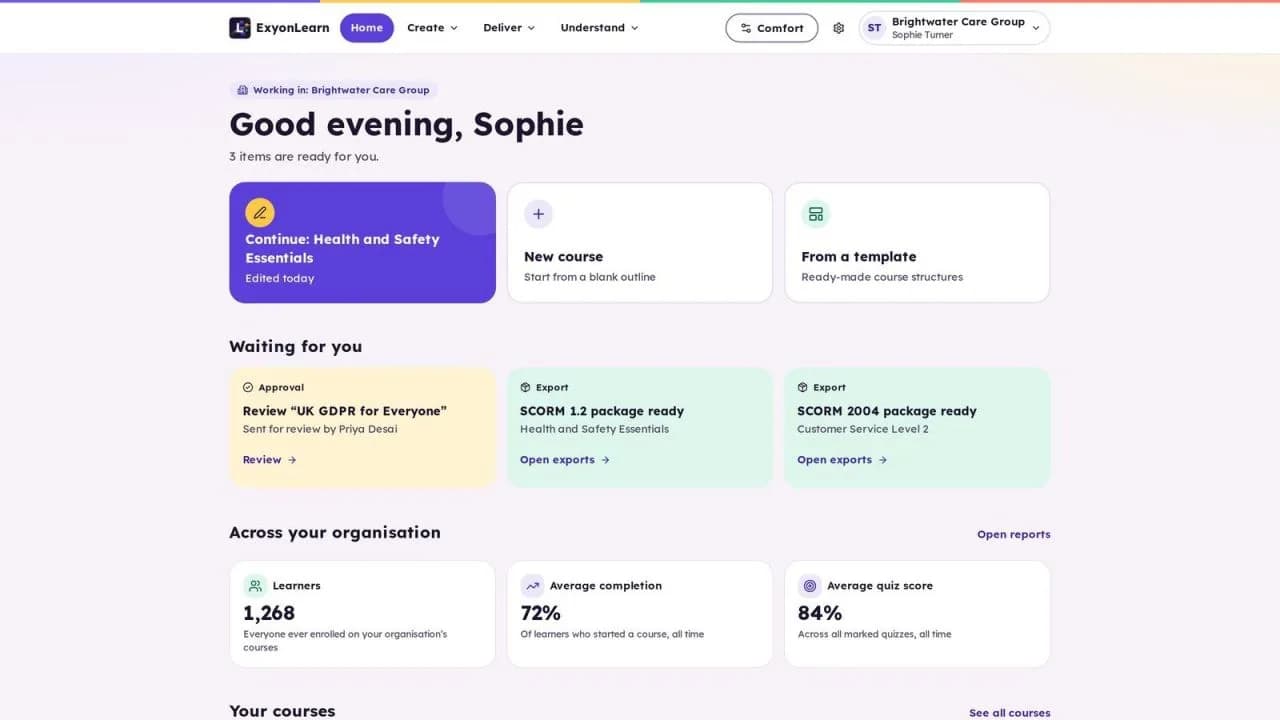
The right course authoring software helps your team create, review, deliver and improve learning content, while giving tutors a clear view of learner progress. For UK independent training providers, a useful shortlist should cover programme fit, quality controls, accessibility, portability, learner management, security and total cost.
Use the ten checks below to compare options in a practical way. Test each one with a representative course and your organisation’s actual workflows. ExyonLearn is designed for education, training and CPD, with the same authoring toolset supporting apprenticeships, T Levels, HTQs and employer training.
1. Does the authoring tool fit the programmes you deliver?
A suitable authoring tool for e-learning should support the range of learning your organisation delivers, not just one course format. That could include apprenticeship learning, T Levels, HTQs, CPD and training designed with employers.
Check whether authors can structure content around clear learning aims, explanations, practice and assessment. Good instructional design helps learners build knowledge in a logical sequence and gives tutors useful opportunities to check understanding.
It is worth being clear about the roles involved. In a traditional e-learning production team, subject experts supply the content knowledge, instructional designers decide how learners meet it, media specialists build the assets and developers assemble the course. That division works for large productions, but it means a provider without those roles either hires them in or leaves subject experts to do work outside their specialism. A platform that lets a subject expert or tutor create structured, interactive lessons without a production chain changes what in-house authoring costs.
Practical check: Ask two authors to outline a lesson for different programmes in the same tool. Check that they can use a consistent approach without forcing both courses into an unsuitable template.
2. Can your team create, review and approve content safely?
Course quality depends on a reliable review process as well as a capable author. Look for clear responsibilities, a second-person sign-off before publication and a record of which version was approved.
This matters because e-learning is usually a team effort. Subject experts supply the knowledge, tutors bring teaching experience, and instructional designers shape how the material is structured and practised. Smaller providers often ask one or two people to cover several of these roles, so a workflow that makes handovers clear helps the same team produce consistent content.
A change made after approval should return for review, so published content reflects the version that was checked.
Practical check: Create a short lesson, submit it for review, then make a change after approval. Confirm that another person must approve the revised version before it can be published.
3. Can tutors see meaningful learner progress?
Completion figures alone do not tell tutors what learners understand or where they need support. Check whether reports help staff monitor course progress, assessment outcomes and learner activity at a useful level.
The Ofsted further education and skills inspection toolkit for use from September 2026 considers learner progress, achievement and next steps. It does not prescribe an authoring platform. Use it as a prompt to assess whether your reporting helps tutors make informed decisions.
Practical check: Ask a tutor to find a learner who has not completed a key activity, review their assessment progress and identify what action to take next.
4. Does it support robust assessment and reusable question banks?
Assessment should check the learning objectives, not simply add a quiz at the end. Look for question banks that let authors reuse and organise questions, and assessment options that suit different subject matter.
For example, an apprenticeship course might need learners to apply knowledge to a workplace scenario. A CPD module might require a short knowledge check followed by clear feedback. The right format depends on what learners need to demonstrate.
Practical check: Build a short assessment from a question bank. Confirm that authors can review the questions, set appropriate feedback and see results that help tutors understand learner performance.
5. Is accessibility built into the publishing process?
Accessibility should be part of course creation and quality assurance, not a final review left to individual authors. The W3C’s Web Content Accessibility Guidelines (WCAG) 2.2, published on 5 October 2023, provides a recognised benchmark for accessible digital content.
ExyonLearn fully conforms to WCAG 2.2 AA. Accessibility checks run before a course can be published, helping authors address issues before learners encounter the content. Learners can also adjust aspects of their reading experience.
Practical check: Prepare a sample course and complete the pre-publication accessibility checks. Confirm that authors can understand and resolve the issues identified. See the Exyon accessibility information for more detail.
6. Can you move content between platforms?
Content portability gives your organisation more choice about where courses are delivered. Check which formats the authoring tool exports and test them in the learning platform you already use.
ExyonLearn exports courses to SCORM 1.2, SCORM 2004, xAPI and HTML. Support for a format does not automatically confirm that a specific destination will record the results you need. Test launch, progress and completion in your own environment.
Practical check: Export one sample course in the format you expect to use. Import it into your learning platform, complete a learner activity and confirm that the key progress information is recorded.
If you are planning a future connection with Pulse by Exyon Software, note that Pulse is in development. When Pulse launches, courses will open from Pulse and learner progress will return to it.
7. Can you manage groups and learners at scale?
A course authoring tool should support the day-to-day work of delivery teams, not create extra administration as enrolments grow. Look for group management, bulk operations and role-based access so staff can manage learners and content according to their responsibilities.
For an ITP, this can help organise learners across programmes, cohorts or employers. Employers running staff training can use groups to manage access across teams.
Practical check: Set up a test group, add learners in bulk and give a tutor the appropriate access. Confirm that the tutor can manage the relevant learners without receiving unnecessary permissions.
8. Does AI assist without removing author control?
AI can help authors draft quiz questions, improve clarity or speed up routine content tasks. It should support professional judgement, not bypass it. The author needs to review suggestions and decide whether to use them.
ExyonLearn’s AI features use UK-region models only through Exyon’s own gateway. The author always decides whether to accept a suggestion.
Practical check: Generate a set of quiz suggestions from a sample lesson. Review whether the author can compare suggestions with the source content, edit them and decide what reaches learners.
9. Can you evidence security, data protection and sign-in controls?
Ask providers how they handle learner information, who can access it and what protections apply. Check hosting ownership and location, identity controls, data-processing terms and the arrangements for services that handle information.
The application, databases and file storage for ExyonLearn run in London on a UK-owned cloud. Exyon Software holds Cyber Essentials certification. Exyon products are built for UK GDPR and the Data Protection Act 2018.
ExyonID provides single sign-on. It supports passkeys and an organisation’s own Microsoft or Google identity provider, with multi-factor authentication enforced for staff and administrators. For more detail, see Trust and security. ICO guidance on contracts between controllers and processors is also useful when reviewing data-processing responsibilities.
Practical check: Ask for written answers on hosting, access controls, data-processing terms and sign-in options. Confirm that the answers meet your organisation’s procurement and information-governance requirements.
10. Does the full cost match how you deliver training?
Compare total cost, not just the headline licence price. Ask how pricing changes with the number of authors and learners, and whether you need separate budgets for support, exports, implementation or other services.
Consider the time your team spends creating, reviewing, updating and distributing content. A platform that fits your workflow can reduce repetitive work and support consistent delivery as your organisation grows.
Practical check: Request a written quote for your expected number of authors and learners, then model the cost for a larger cohort. Record what is included, what may incur extra charges and how pricing changes at renewal.
Choose for the work your team needs to do
The right e-learning platform should help your team create quality content, manage review, support learners and monitor progress. Use the same practical checks with each shortlisted provider, and involve authors, tutors and compliance leads in the evaluation.
Book a demo to see how ExyonLearn supports course creation, review and delivery.
Related articles
- Authoring Software or Off-the-Shelf Courses for Your ITP?
4 November 2026
Compare off-the-shelf courses, general-purpose tools and purpose-built course authoring, and see what a training provider should check before choosing one.
- Choosing Course Authoring for Apprenticeship Delivery
28 October 2026
Choose course authoring software for apprenticeship delivery that helps your team shape learning around the occupational standard, KSBs and employer needs.
- 7 Corporate Training Software Mistakes to Avoid
28 October 2026
Training providers and employers alike need course authoring software that creates better learning, manages learners efficiently and demonstrates measurable…
See it with your own programmes
Book a personalised walkthrough built around how your organisation funds, delivers and evidences training. No obligation.