7 Corporate Training Software Mistakes to Avoid
By Jevon Davies MBCS RITTech
Training providers and employers alike need course authoring software that creates better learning, manages learners efficiently and demonstrates measurable results. However, many teams select an employee training software platform based on surface-level features, then discover operational problems after launch.
The right platform must support the complete training lifecycle. That includes authoring, accessibility, assessment, delivery, certification, reporting and learner management at scale.
This guide covers seven common mistakes and the practical steps that fix them.
1. Choosing software on price or a feature checklist
A low subscription price can become expensive when your team has to work around missing capabilities. The same applies to a long feature list that does not support your actual training outcomes.
A platform may advertise video, quizzes, certificates and gamification. That does not confirm whether it can deliver the onboarding, compliance training, CPD, apprenticeship programme content or role-based training your organisation needs.
The fix: start with outcomes
Define what learners must know, do or demonstrate after completing each programme. Then evaluate corporate training software against those outcomes.
Consider:
- Required knowledge and behaviours
- Role-based learning paths
- Assessment and pass requirements
- Manager or tutor workflows
- Completion and renewal rules
- Reporting requirements
- Integration and deployment needs
An online course creator should support those workflows without forcing your team to rely on separate tools.
ExyonLearn combines a block-based editor, interactive components, assessments, certificates, reporting and learner management in one environment. This gives training teams a practical foundation for simple courses and complex programmes, from employer onboarding to apprenticeship delivery.
2. Treating accessibility as an optional extra
Accessibility is sometimes reviewed late in the buying process. That creates avoidable risk and may exclude learners who rely on keyboard navigation, screen readers, adjustable text or alternative visual settings.
WCAG 2.2 AA applies to the complete learner journey. That includes authentication, navigation, content blocks, media, assessments, certificates and administration. The W3C WCAG 2.2 guidance provides the recognised framework for evaluating accessible digital content.
The fix: make accessibility a core requirement
Ask vendors for specific evidence rather than accepting a general accessibility statement. Test representative content and review the experience across devices and assistive technologies.
Check for:
- Complete keyboard navigation
- Screen reader support
- Sufficient colour contrast
- Adjustable text size and spacing
- Reduced motion options
- Accessible form controls and assessments
- Clear focus states and skip links
- Alternative ways to access audio and visual content
ExyonLearn is designed to WCAG 2.2 AA. Learners can use keyboard controls, screen readers, visual comfort modes, colourblind settings, dyslexia-friendly fonts, focus mode and adjustable audio playback.
Accessibility settings persist across sessions, giving learners greater control over how they access training.
3. Locking content to one format
A course may work well inside one platform today but become difficult to reuse later. Content that cannot move between systems can limit your deployment options, complicate migrations and increase the cost of future change.
This is especially important when an organisation already uses an LMS, a learning record store or a wider HR technology environment.
The fix: protect portability and interoperability
Select an e-learning platform that supports recognised export standards and test the exported content before making a decision.
Look for:
- SCORM 1.2 export
- SCORM 2004 export
- xAPI support
- Progress and score tracking
- Bookmark and resume functionality
- Compatibility with existing LMS platforms
- Clear ownership of source content
SCORM remains widely used for packaged course delivery. xAPI supports broader learning activity tracking across platforms, applications and experiences.
ExyonLearn supports SCORM 1.2, SCORM 2004 and xAPI export. You can deliver courses through the built-in player or deploy them to compatible systems such as Moodle, Blackboard, Canvas and other SCORM- or xAPI-compliant environments.
This flexibility helps your organisation avoid rebuilding content when delivery requirements change.
4. Publishing static content without meaningful practice
Static pages and long videos can transfer information, but they do not always help learners apply it. Without interaction, practice and feedback, completion data may hide weak understanding.
Training becomes more effective when learners must retrieve information, make decisions and demonstrate knowledge.
The fix: build interaction into the learning design
Use interaction for a clear learning purpose. Add knowledge checks after important concepts. Use realistic scenarios for decisions that employees will make at work.
Useful options include:
- Accordions and tabs for structured exploration
- Flashcards for retrieval practice
- Hotspots and reveals for visual learning
- Branching scenarios for decision-making
- Simulations for practical application
- Question banks for varied assessments
- Feedback and remediation after incorrect answers
ExyonLearn provides more than 25 content block types, including interactive components, branching scenarios, simulations, visual layouts and assessment blocks. Its assessment engine supports eight question types, reusable question banks, difficulty levels and randomisation.
AI-powered quiz generation can also create draft questions from lesson content. This reduces repetitive authoring work while leaving subject experts in control of review and approval.
5. Issuing certificates manually and chasing completion
Manual certificates create unnecessary administration. Training teams may need to check completion records, confirm assessment results, create documents, send emails and maintain evidence for audits.
The process becomes difficult to manage when employees complete courses at different times or when certificates expire and require renewal.
The fix: automate completion workflows
Define the conditions for completion and let the platform handle routine actions. Your process should support:
- Automatic certificate issuance
- Assessment-based completion rules
- Certificate templates and branding
- Unique verification codes
- QR code verification
- Certificate history
- Revocation and renewal support
- Completion visibility for managers
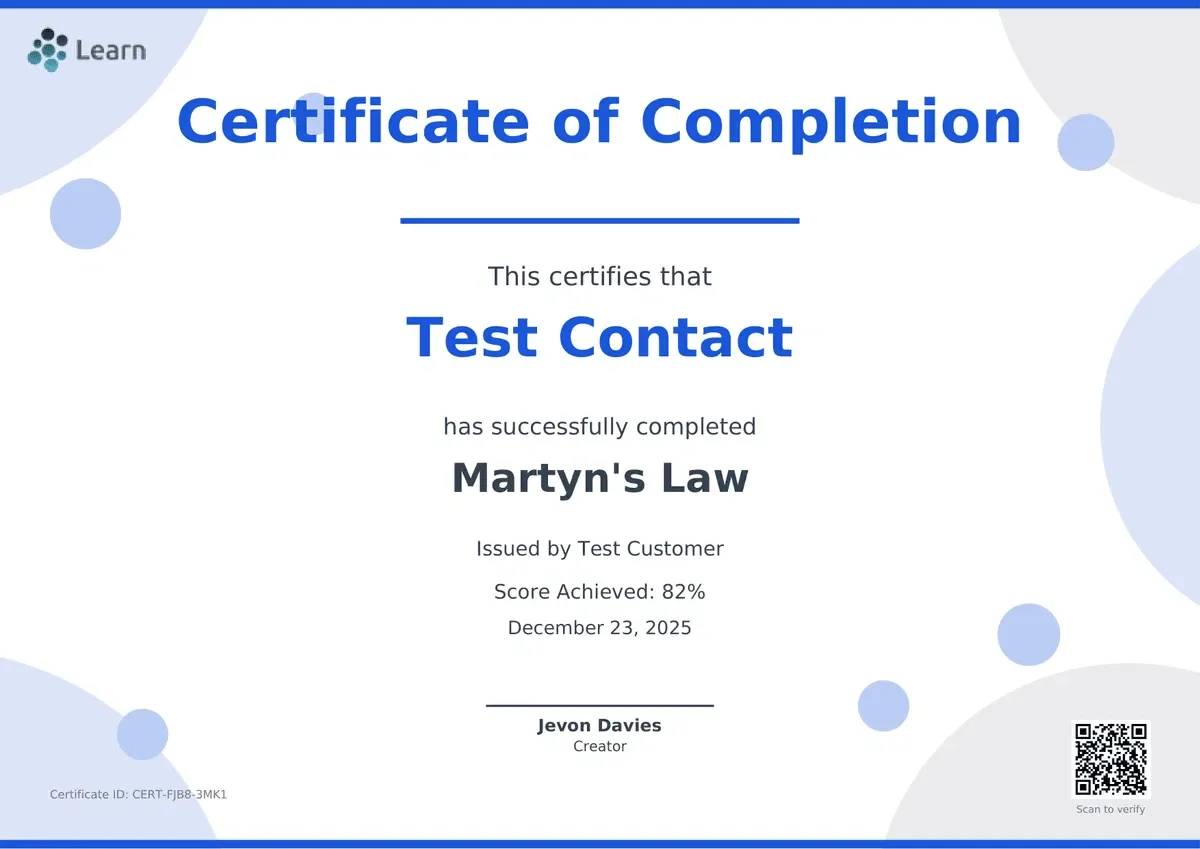
ExyonLearn can automatically issue customisable certificates when learners meet the required criteria. Certificates can include scores, dates, issuer information and verification details.
This gives learners prompt evidence of completion while giving administrators a reliable record for compliance and professional development programmes.
6. Reporting completion without measuring impact
A completion rate is useful, but it is only one part of training performance. It does not show where learners struggle, which questions expose knowledge gaps or whether a course supports the intended business outcome.
Reporting should help training managers act on evidence rather than produce one-off spreadsheets.
The fix: define the questions your reports must answer
Before selecting employee training software, decide which decisions your reports need to support.
For example:
- Who has started, completed or fallen behind?
- Which teams have overdue training?
- Where do learners drop out?
- Which assessment questions cause difficulty?
- How do scores vary by department or cohort?
- Which certificates have been issued or expired?
- Is engagement improving over time?
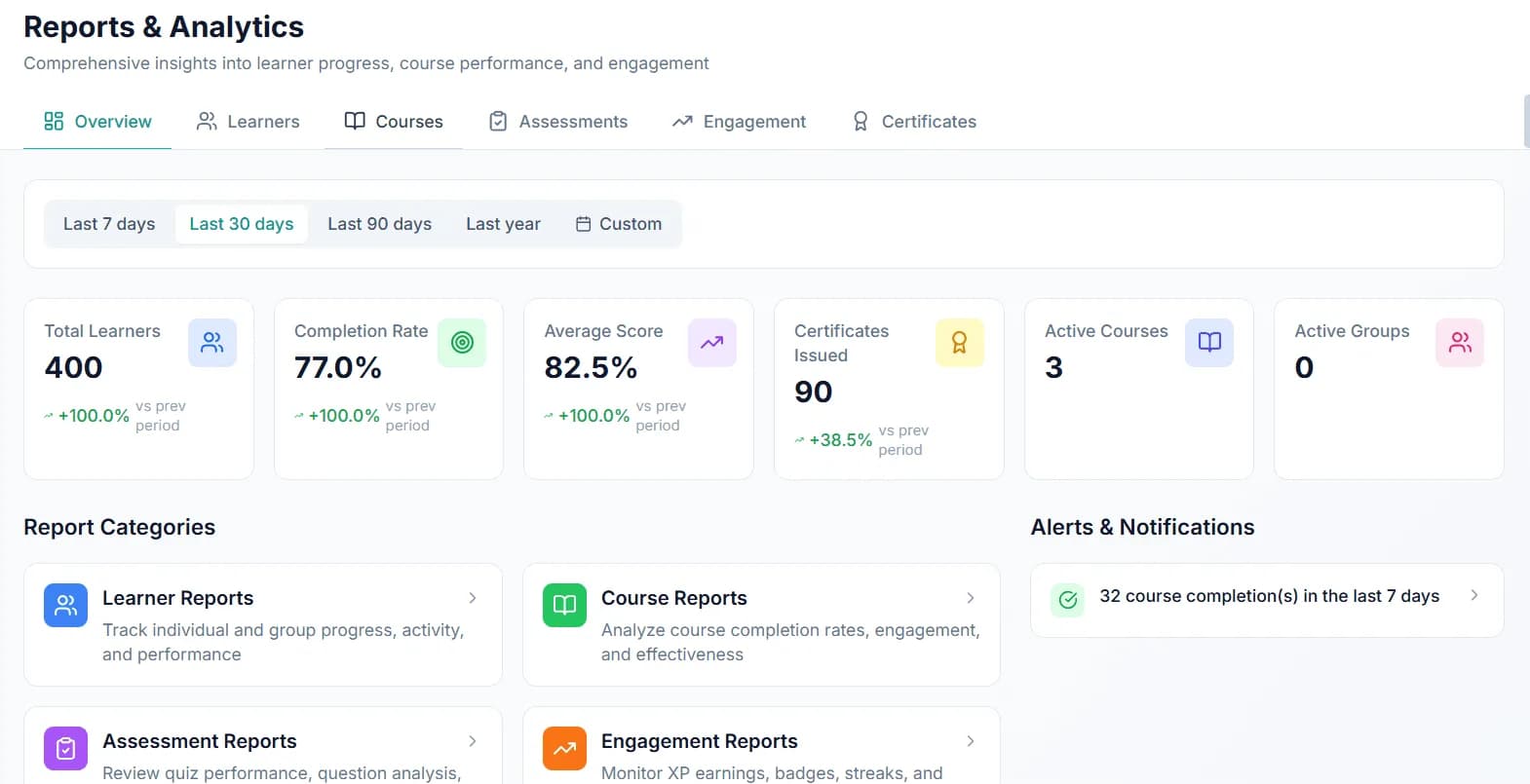
ExyonLearn provides learner reports, course analytics, assessment reporting and engagement data. Teams can review completion rates, score distributions, activity, time spent, certificate history, XP, badges and streaks.
Date filters, course filters and CSV export support operational reporting and audit preparation. This makes it easier to identify at-risk learners, improve content and demonstrate progress to stakeholders.
7. Launching without a plan for scale
A platform may work well for a small pilot but become difficult to administer when hundreds or thousands of learners join. Manual enrolment, duplicated assignments and limited permissions quickly create pressure for training teams.
Scaling also involves more than learner numbers. Organisations often need departments, cohorts, tutors, managers, different access levels and separate reporting views.
The fix: build for growth from the start
Assess how the platform handles both current and future requirements.
Look for:
- Bulk learner imports
- Group and department management
- Bulk enrolment and assignment
- Role-based permissions
- Tutor or manager dashboards
- Progress tracking across cohorts
- Real-time learner activity
- SSO and secure access controls
- Reporting across multiple programmes
ExyonLearn supports learner groups, tutor assignments, bulk operations and organisation-wide progress tracking. Administrators can organise learners into cohorts, departments or classes, then monitor completion, activity, scores and certificates.
Role-based access supports separate responsibilities for administrators, authors, tutors and learners. Sign-in runs through ExyonID, Exyon's single sign-on service: one account across Exyon products, multi-factor authentication enforced for staff and administrators, and support for passkeys or your organisation's own Microsoft or Google identity provider. You can read more on our trust and security page.
The result is a more manageable operating model that can expand as your organisation grows.
Choose corporate training software for the whole programme
The strongest platform is not necessarily the one with the longest feature list or lowest entry price. It is the one that supports your complete training model.
Evaluate how each option helps you:
- Create engaging and accessible content
- Assess practical understanding
- Reuse and deploy content across systems
- Automate certificates and completion workflows
- Monitor meaningful learning data
- Manage learners at scale
- Protect organisational data and control access
ExyonLearn combines professional course authoring, interactive learning, AI-assisted assessment, neural voice narration, certificates, SCORM/xAPI export, gamification, reporting and learner management.
If you are assessing options for your organisation, book a demo and speak with the ExyonLearn team about your requirements.
Related articles
- Looking for Course Authoring Software? 10 Things to Know
2 November 2026
Ten things to check when choosing course authoring software, so your team can create, review and improve learning while tutors keep a clear view of progress.
- Choosing Course Authoring for Apprenticeship Delivery
28 October 2026
Choose course authoring software for apprenticeship delivery that helps your team shape learning around the occupational standard, KSBs and employer needs.
- Accessibility Checks That Change How You Publish Courses
6 November 2026
Accessibility checks change course publishing by helping teams identify barriers while content is being authored, before it reaches learners. An authoring…
See it with your own programmes
Book a personalised walkthrough built around how your organisation funds, delivers and evidences training. No obligation.