Accessibility Checks That Change How You Publish Courses
By Jevon Davies MBCS RITTech
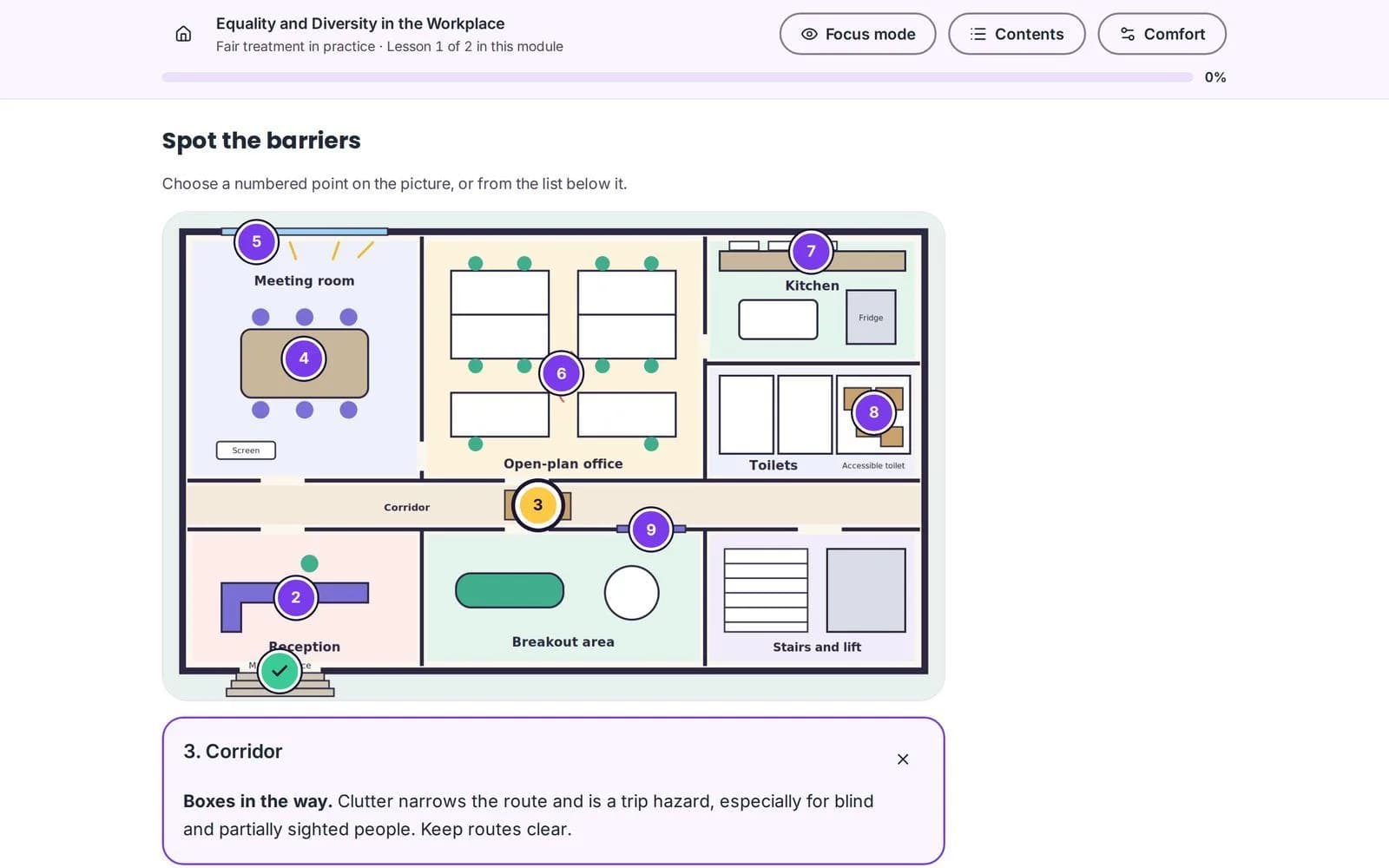
Accessibility checks change course publishing by helping teams identify barriers while content is being authored, before it reaches learners. An authoring tool for e-learning that checks courses before publication can help protect learner access, course quality and the evidence behind review processes.
For UK independent training providers (ITPs), accessibility is part of delivering effective learning, not a final formatting task. It also matters to employers delivering compliance, onboarding and continuing professional development (CPD). The right e-learning platform supports inclusive content creation and helps teams spot issues earlier in the publishing process.
Why do accessibility checks belong in the publishing workflow?
A final audit can identify problems, but it may do so after content has been assembled, reviewed and scheduled. By then, fixing a missing alternative, unclear heading or poor colour contrast may mean revisiting several lessons and repeating sign-off.
Checks during authoring move that work closer to the moment a problem is introduced. Authors can address issues as they build and review a course, rather than relying on a final audit to find everything at the end.
This also matters because of who does the authoring. In traditional e-learning production, an instructional designer shapes the course, media specialists build the assets and a developer assembles the output, and accessibility expectations can be passed between those handovers until nobody is quite sure who owns them. When subject experts and tutors author the course themselves, a built-in check gives the same team a clear point of accountability without needing an accessibility specialist on every project.
That matters when training teams are creating interactive e-learning content across multiple programmes. A repeatable check gives authors, quality managers and compliance leads a clearer point of control before publication.
Accessibility checks are not a substitute for human review. They are a practical way to reduce preventable problems and make accessibility part of the normal publishing process.
What do UK accessibility duties mean for training providers?
In Great Britain, the Equality Act 2010 requires organisations to make reasonable adjustments for disabled people. For education and training, that means considering foreseeable barriers and responding appropriately to learners’ needs. Northern Ireland has separate disability discrimination legislation.
The Public Sector Bodies (Websites and Mobile Applications) Accessibility Regulations 2018 apply to in-scope public-sector websites and mobile applications. GOV.UK guidance identifies WCAG 2.2 AA as the relevant accessibility benchmark for those services. The regulations do not automatically apply to every private training provider or employer, so organisations should check whether they are in scope. Equality Act duties remain relevant to UK service providers.
The Equality Act 2010 and GOV.UK guidance on public-sector website and app accessibility set out these requirements. They are related, but they are not interchangeable: a technical standard does not replace the duty to consider reasonable adjustments in individual circumstances.
The W3C’s Web Content Accessibility Guidelines (WCAG) 2.2 are organised around content being perceivable, operable, understandable and robust. Its WCAG 2.2 Quick Reference gives teams a practical way to review success criteria, including keyboard access, text alternatives, captions, contrast and target size.
What accessibility issues should course teams look for?
Course content can create barriers in small, familiar ways. A lesson may look complete on screen but still be difficult to use with a keyboard, screen reader or learner’s preferred visual settings.
During authoring and review, check for common issues such as:
- Keyboard navigation: Can learners move through interactive components, assessments and navigation without a mouse?
- Colour contrast: Is text readable against its background? Does meaning rely on colour alone?
- Alternative text: Do informative images have useful text alternatives, and are decorative images identified appropriately?
- Captions and transcripts: Can learners access spoken information in video or audio through an appropriate text alternative? Narration alone does not replace captions or text alternatives.
- Headings and links: Do headings give content a clear structure, and do links explain where they lead?
- Focus and target size: Can keyboard users see where they are, and are controls practical to select?
- Sign-in and authentication: Does access rely on remembering or solving something without an alternative or support?
WCAG 2.2 AA includes requirements for visible keyboard focus, text contrast, keyboard operation, captions for prerecorded media and minimum pointer target size, with defined exceptions. For example, a learner should be able to tell which interactive control currently has keyboard focus. A control that is technically present but visually indistinguishable from its surroundings may still prevent someone from completing an activity.
Sign-in also deserves attention. The W3C standard includes a criterion on accessible authentication, which addresses cognitive function tests such as remembering a password or solving a puzzle. Review access to the course as part of the learner journey, not just the lesson content.
How do checks before publication improve quality?
An authoring-time check can give a team an earlier opportunity to identify issues, correct them and review the course again before learners arrive. This helps make accessibility a repeatable part of the quality process, rather than a separate task added at the end.
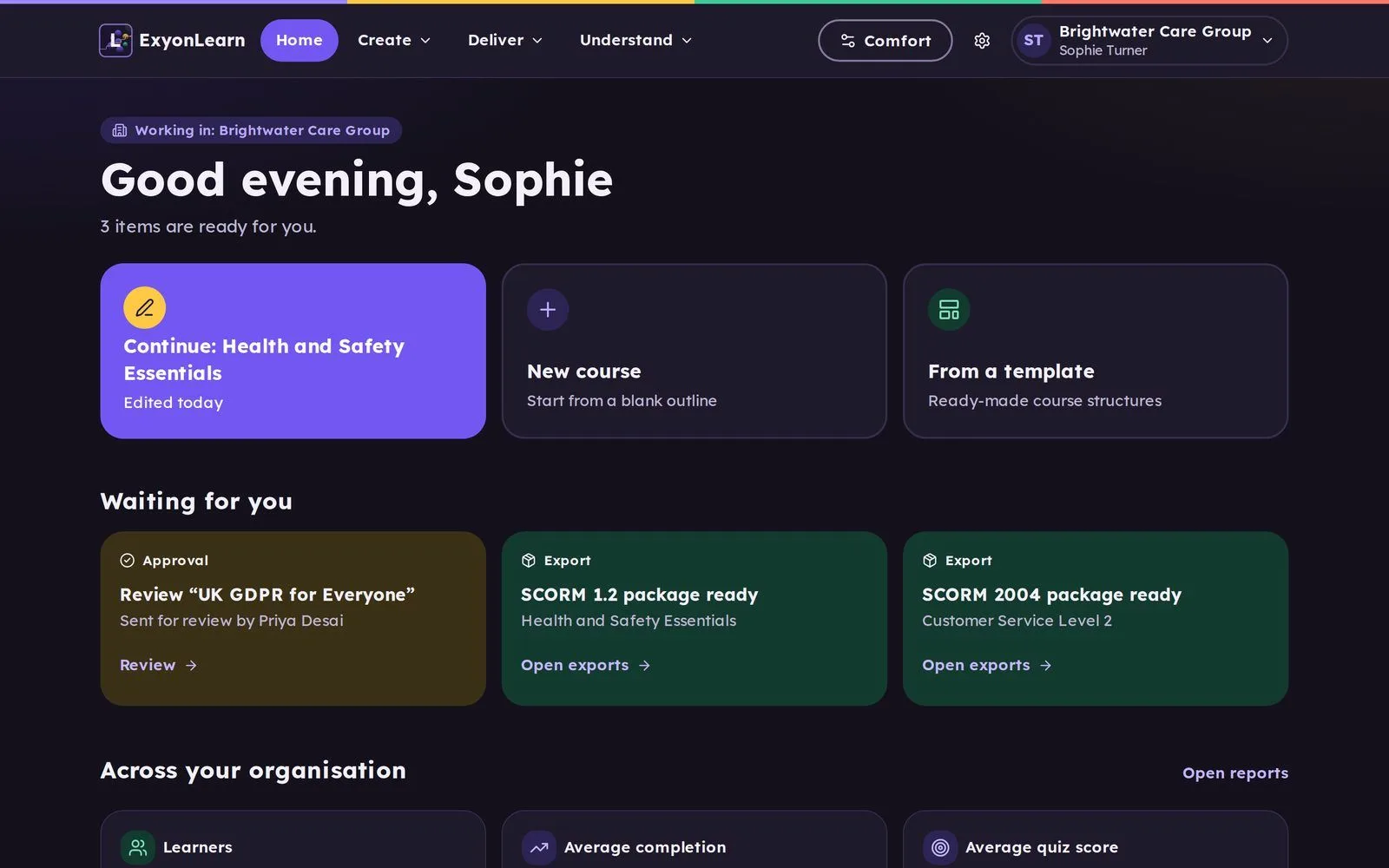
With ExyonLearn, accessibility checks run before a course can be published. Authors can address flagged issues during course creation, alongside a block-based editor with more than 25 content block types, interactive components and assessment tools.
ExyonLearn is designed to WCAG 2.2 AA and fully conforms to WCAG 2.2 AA. For ITPs, this provides a clear accessibility baseline for creating and delivering course content. A check before publication supports that workflow, but does not remove the need to review whether the course content is accurate, clear and suitable for its learners.
The ExyonLearn accessibility information provides further detail about the platform’s accessibility approach.
What should human review cover beyond automated checks?
Automated checks are useful for issues that can be tested consistently, but accessibility also depends on meaning, context and learner experience. A person should review what a check cannot reliably judge.
Include these points in course review:
- Image purpose: Does the alternative text explain the image’s learning purpose, rather than merely describe its appearance?
- Caption accuracy: Do captions reflect the spoken content and include relevant non-speech audio?
- Assessment design: Are instructions clear, and can learners complete each activity using an appropriate input method?
- Reading flow: Do the headings, examples and instructions make sense in order?
- Learner context: Could a particular activity, time limit or sign-in step create a barrier that requires an adjustment?
- Assistive technology use: Does the course work as expected with keyboard navigation and relevant assistive technologies?
Involve disabled learners in testing where possible. Their experience can reveal practical barriers that a checklist or automated tool will not identify. Keep a record of review actions and decisions so teams can track what was checked, what was changed and what still needs attention.
How do learner settings support accessible learning?
Accessible content provides a sound foundation. Learner settings add useful choice, allowing individuals to adjust presentation to suit their visual comfort and reading preferences.
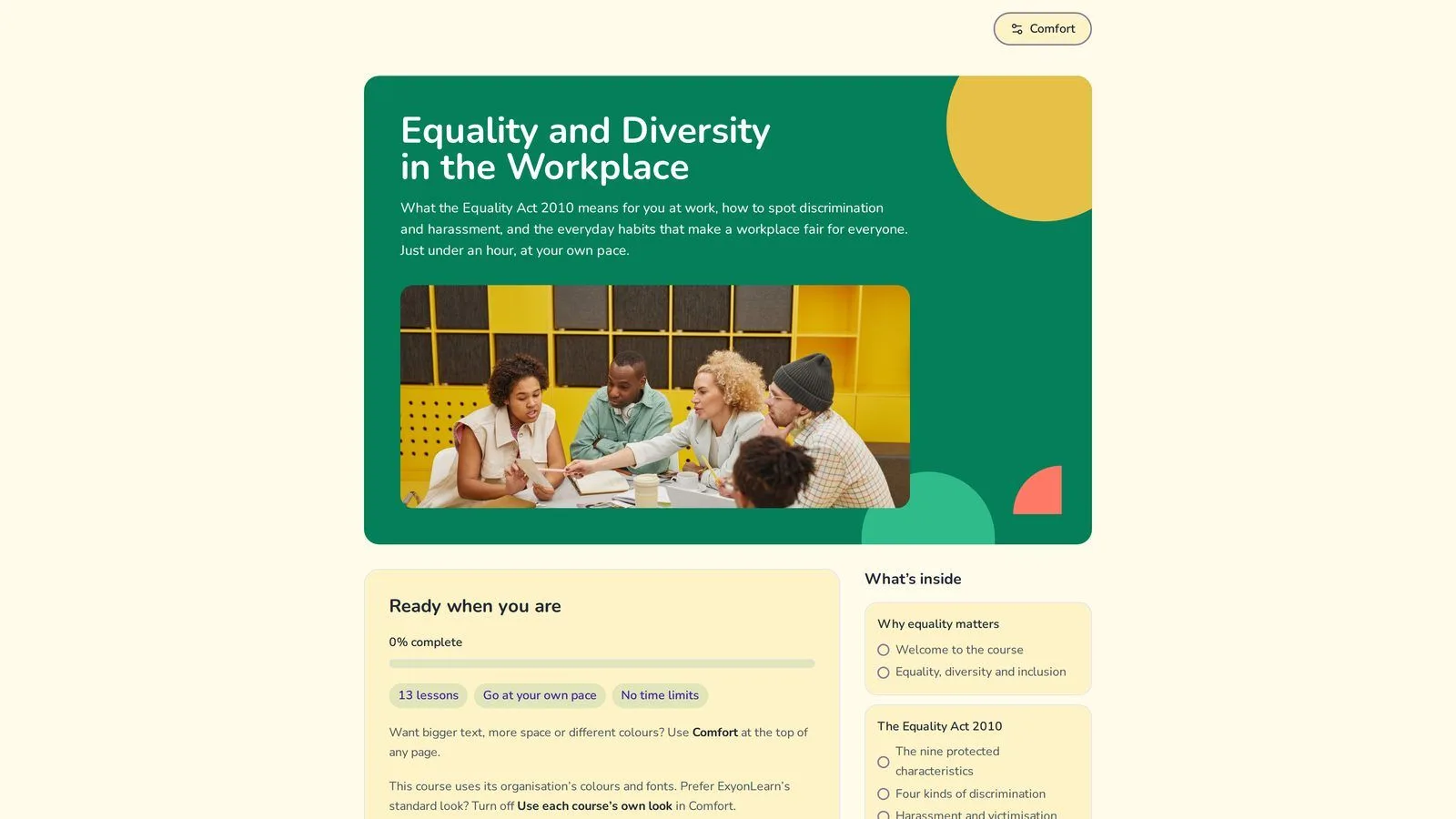
ExyonLearn gives learners settings for visual comfort, text size and spacing. These options can support a more comfortable reading experience, but they do not correct inaccessible course content. For example, a learner’s preferred colour mode cannot provide missing alternative text or make an uncaptioned video accessible.
Neural voice narration can offer another way to engage with lesson text. It does not replace captions for video or text alternatives for meaningful visual information. Each format should serve its intended purpose.
What should ITPs evidence for quality and inspection?
For English ITPs, accessibility can contribute to evidence about how leaders identify and address barriers to learning. Ofsted’s further education and skills inspection toolkit and operating guidance were updated on 28 August 2026 and are for inspections from 1 September 2026. The guidance directs inspectors to consider inclusion, learners’ needs, reasonable adjustments and the impact of support.
This does not make a course accessibility check a guarantee of an inspection outcome. It does make clear why providers should be able to show how they identify needs, put support in place and review its effect on learners.
A practical evidence set might include:
- Course review records and action logs
- Examples of accessible learning materials
- The process for requesting and responding to adjustments
- Learner feedback about access and participation
- Records showing how support is reviewed
Read the latest Ofsted further education and skills inspection toolkit and operating guidance for the current reference in England.
How should exported courses be checked?
An accessible course should be tested in the environment where learners will use it. ExyonLearn supports SCORM 1.2, SCORM 2004, xAPI and HTML export, so providers can deploy content in different learning systems.
After export, test the course in its target learning management system (LMS). The player, navigation and hosting environment can affect the learner experience, even when the source course has been reviewed. Check the actual learner journey, including access, keyboard operation, interactive content and assessments.
For more about ExyonLearn for ITPs, visit the page for training providers.
What should I look for in an authoring tool for e-learning?
Accessibility checks are most useful when they are part of the publishing workflow, rather than a separate audit after content is complete. When comparing tools, look for a clear pre-publication check, a way to address issues during authoring, learner-facing settings and a sensible process for testing exported courses.
This approach helps training teams create interactive e-learning content with accessibility in view from the start. It supports consistent course quality, gives reviewers clearer points to check and helps organisations respond to learners’ needs.
Book a demo to see how ExyonLearn supports course creation, accessibility checks and publishing.
Related articles
- How AI Quiz Generation Speeds Up Course Authoring
10 November 2026
AI quiz generation speeds up course authoring by producing draft questions from lesson content, giving authors a starting point they can review and edit…
- Authoring Software or Off-the-Shelf Courses for Your ITP?
4 November 2026
Compare off-the-shelf courses, general-purpose tools and purpose-built course authoring, and see what a training provider should check before choosing one.
- Looking for Course Authoring Software? 10 Things to Know
2 November 2026
Ten things to check when choosing course authoring software, so your team can create, review and improve learning while tutors keep a clear view of progress.
See it with your own programmes
Book a personalised walkthrough built around how your organisation funds, delivers and evidences training. No obligation.