ExyonLearn 2.0 Is Live: What Providers Asked For
By Jevon Davies MBCS RITTech

ExyonLearn 2.0 is live. This release brings a full redesign of the author app and learner portal, with practical changes shaped by what training providers told us they needed.
Providers wanted to catch accessibility issues before publishing, not after a course went live. They wanted assessment outcomes to reflect what learners had actually achieved. They also wanted to build a course, publish it and share a link without buying a second system to host it.
We listened, and delivered a course authoring and delivery tool built around those needs. ExyonLearn supports apprenticeships, T Levels, HTQs, CPD and employer training with the same core toolset.
Catch Accessibility Issues Before Publishing
Providers told us they needed a clear way to find and fix accessibility issues before a course reached learners. The new Ready to publish? check makes that part of the publishing workflow.
Must-fix issues block publishing. These include missing image descriptions, missing captions or transcripts, low-contrast theme colours, and links with no words. Every issue takes the author directly to the block that needs attention. Advisory checks flag items to consider, but never block publishing.
That gives authors a practical opportunity to address issues as they build, while giving quality and compliance teams a clearer review point before release.
ExyonLearn is designed to WCAG 2.2 AA and fully conforms to WCAG 2.2 AA. The work spans the author app, the learner player and exported packages. See the ExyonLearn accessibility statement for details.
Make Results Match the Learner’s Score
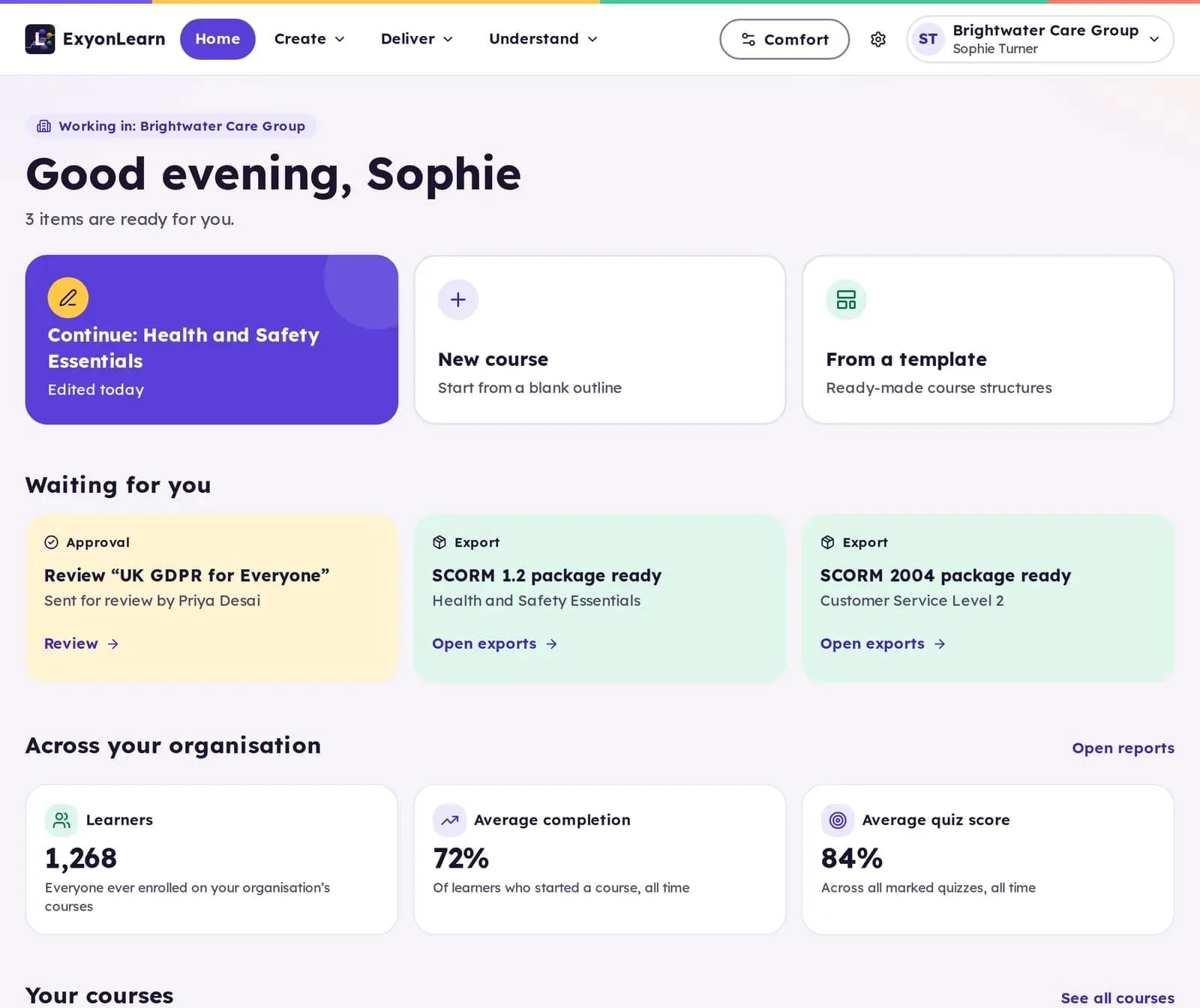
Providers told us that finishing a course and passing an assessment are not the same outcome. ExyonLearn now states results plainly as passed, not passed yet, not passed, or completed with no assessment.
Certificates for assessed courses are issued only when a learner passes. Reports and exported SCORM and xAPI packages report the same outcome, helping providers keep learner records consistent across the course and the systems that receive its results.
This distinction supports clearer progress monitoring for directors, MIS and compliance leads, and quality managers. Teams can identify completion separately from achievement and follow up with learners who have not yet met the pass mark.
Assessment tools include seven question types, question banks, configurable pass marks and attempt limits. Tutors can also reopen a lesson that closed as not passed, so learners can continue when a tutor decides that is appropriate.
Create and Review Courses With More Control
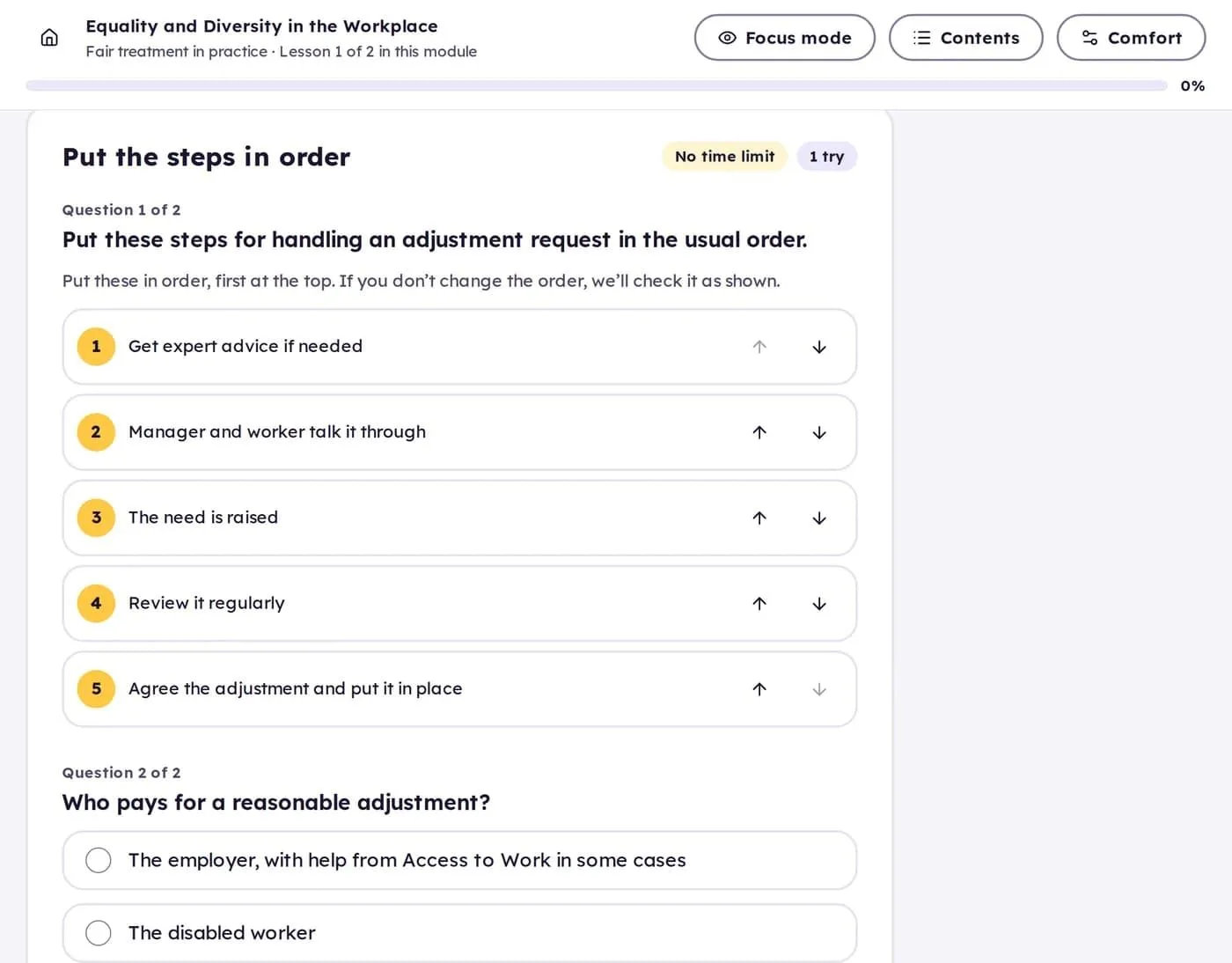
The author app has been redesigned to make its main areas easier to distinguish. Courses, library, learners and reports each have their own colour, always displayed alongside the area name and icon.
Authors edit lessons on a canvas using the course’s own theme, so they can work with a view that reflects how learners will see the content. Build interactive learning with more than 20 block types, including branching scenarios, conversations, labelled images, flashcards and quizzes, without coding.
Review and approval can involve a second person before publishing. Each decision is recorded, supporting a clear record of the review process for quality teams.
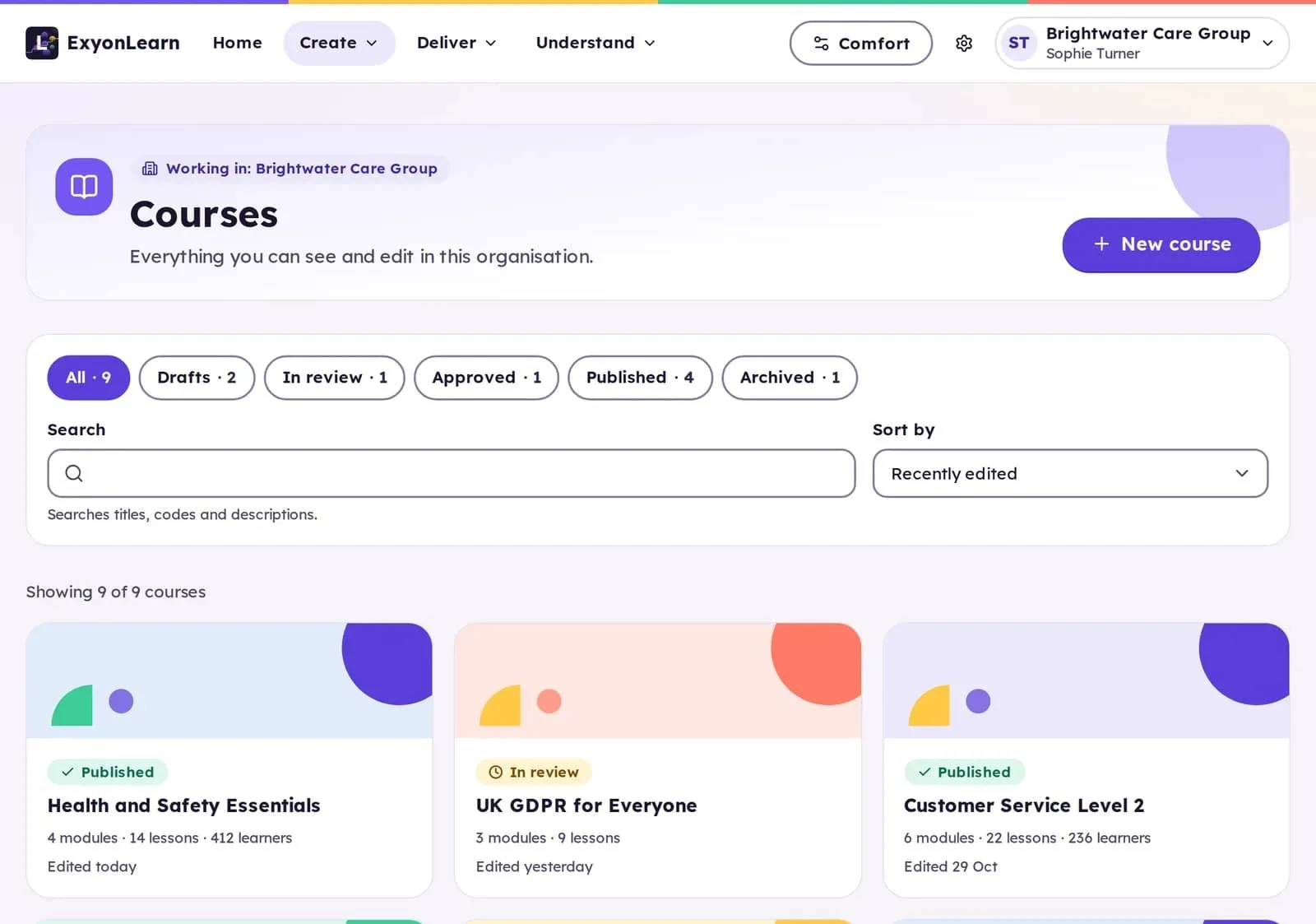
Create a consistent learner experience with eight accessible built-in themes, or use your own colours, fonts and logo. Themes carry into exported packages, helping maintain the course’s look when content is delivered elsewhere.
Use AI Assistance With Author Control
AI tools can draft quiz questions, suggest improved wording and translate one block at a time into seven languages. These features help authors move through repetitive tasks more efficiently, while leaving the content decisions with the person responsible for the course.
AI drafts. The author decides what to keep.
AI features use UK-region models through Exyon’s own gateway. ExyonLearn is hosted in London on a UK-owned cloud. UK hosted is not the same as UK owned: the location of the servers and the jurisdiction over the data are two separate questions. Exyon Software is Cyber Essentials certified, its information security management system is aligned to ISO 27001, and data is encrypted in transit and at rest. Read more on the trust and security page.
Give Learners More Choice in How They Learn
The redesigned learner portal includes settings that let learners customise their experience. They can choose from four colour themes, select reading fonts including OpenDyslexic, and adjust text size and spacing. Focus mode, reduced motion and British English narration provide further options.
A new sign-in experience supports two-step sign-in, passkeys and emailed sign-in links. These options provide learners with different ways to access their learning.
Manage Learners Alongside the Authoring
Courses published in ExyonLearn run in its own player. Share a link and learners open it in a browser on a computer, tablet or phone, with progress, scores and completion recorded. There is no separate hosting to arrange and no second system to buy.
Groups can be enrolled together, and tutors can open content early or reopen a lesson that closed as not passed, with a note against the record. Reports cover progress, completion, scores, the questions learners find hardest and where learners stop, with downloads as CSV or Excel for MIS and quality teams.
Set Release Rules Around Your Programme
Release rules let providers open lessons on a set date, after a number of days, after another lesson or score, or when a tutor unlocks them. That gives teams options for structuring access around their programme and learners’ progress.
When a course needs to be used outside ExyonLearn, export options include SCORM 1.2, SCORM 2004, xAPI or a self-contained web page, depending on plan. The five plans are Free, Creator, Professional, Team and Enterprise. See the ExyonLearn page for current plan details.
We Heard It, We Built It, It Is Live
ExyonLearn 2.0 brings provider feedback into the everyday work of creating, reviewing and delivering learning. Accessibility checks support better publishing decisions. Results, certificates, reports and exports reflect learner outcomes consistently. Authoring, approval, learner settings and delivery options give teams practical control across their provision.
We heard it, we built it, it is live.
Explore ExyonLearn 2.0, or book a demo to see how it can support your organisation.
Related articles
- The Apprenticeship Standard Purge: What Training Providers Need to Know
19 March 2026
Find out what the 2026 apprenticeship standard changes mean for training providers, from the management standards cut to flexible units, and what to do next.
- Integrating Pre-Apprenticeship Content Into Programmes
18 November 2026
Independent training providers can prepare for pre-apprenticeship activity by building reusable foundation content that connects with existing vocational…
- Milburn Report: Five Steps for Training Providers
18 November 2026
Training providers can prepare now by checking programme capacity, building reusable learning content, reviewing accessibility, strengthening employer…
See it with your own programmes
Book a personalised walkthrough built around how your organisation funds, delivers and evidences training. No obligation.